Query the graph
nestweaver context returns the symbols around a name or file. search finds a symbol by name.
A question in plain language goes to investigate.
An agent that starts from the file tree reads until the context window is full, and still may not have the caller, the type, or the test. Search finds the string. It does not say what reaches this function, or what a diff puts at risk.
NestWeaver parses the repository once into symbols, calls, and imports, and answers from that graph. The answer is a short, ranked neighborhood — the same one you can open in the browser — instead of a pile of files.
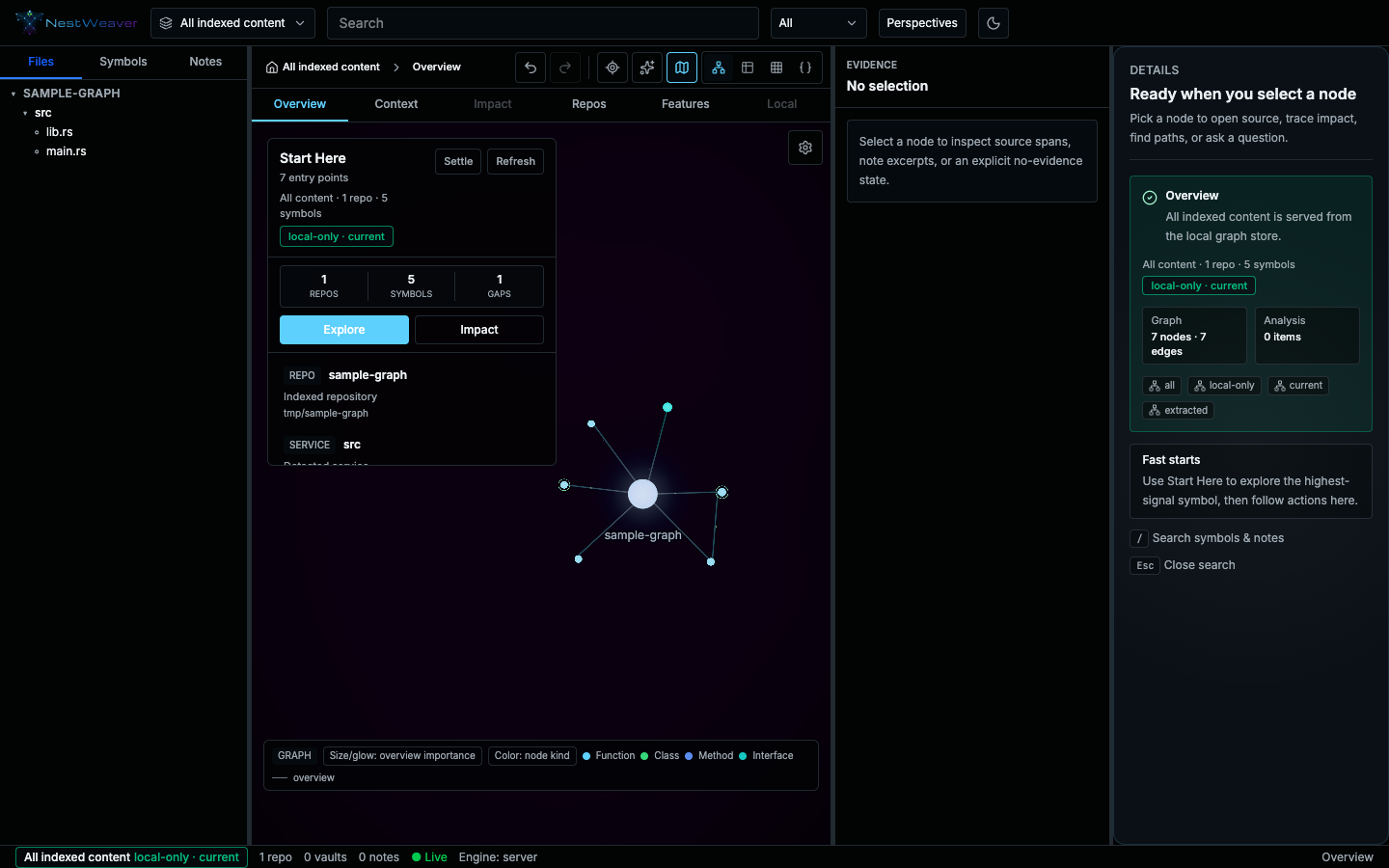
The screenshot is a small sample project. Start Here, in the center, summarizes what is indexed. The green chip says the view is local and current.
Query the graph
nestweaver context returns the symbols around a name or file. search finds a symbol by name.
A question in plain language goes to investigate.
Hand it to an agent
nestweaver setup connects the editor you already use. The agent then calls 43 MCP tools, or
six in Cursor’s lite mode.
See a change before you merge it
pr-impact scores a diff. affected-tests lists tests to run. dead-code is a review list,
not a list of things to delete.
Open the workspace
nestweaver ui serves this view on port 3000. Pick a symbol and the source, callers, and
callees show up beside the graph. Tour the UI.
nestweaver index --repo .nestweaver context <name>nestweaver ui and select that symbol.What NestWeaver is explains the three surfaces — CLI, editor, and web UI — before the command reference.